

The AI-Ready Code Snippet Manager for macOS
Built with Swift 6 and SwiftUI. The first snippet manager with MCP support. Let Claude, Cursor, and other AI assistants access your code snippets directly.
macOS 15.0+ · 7-day free trial · $29.99 one-time purchase
Also available on Setapp
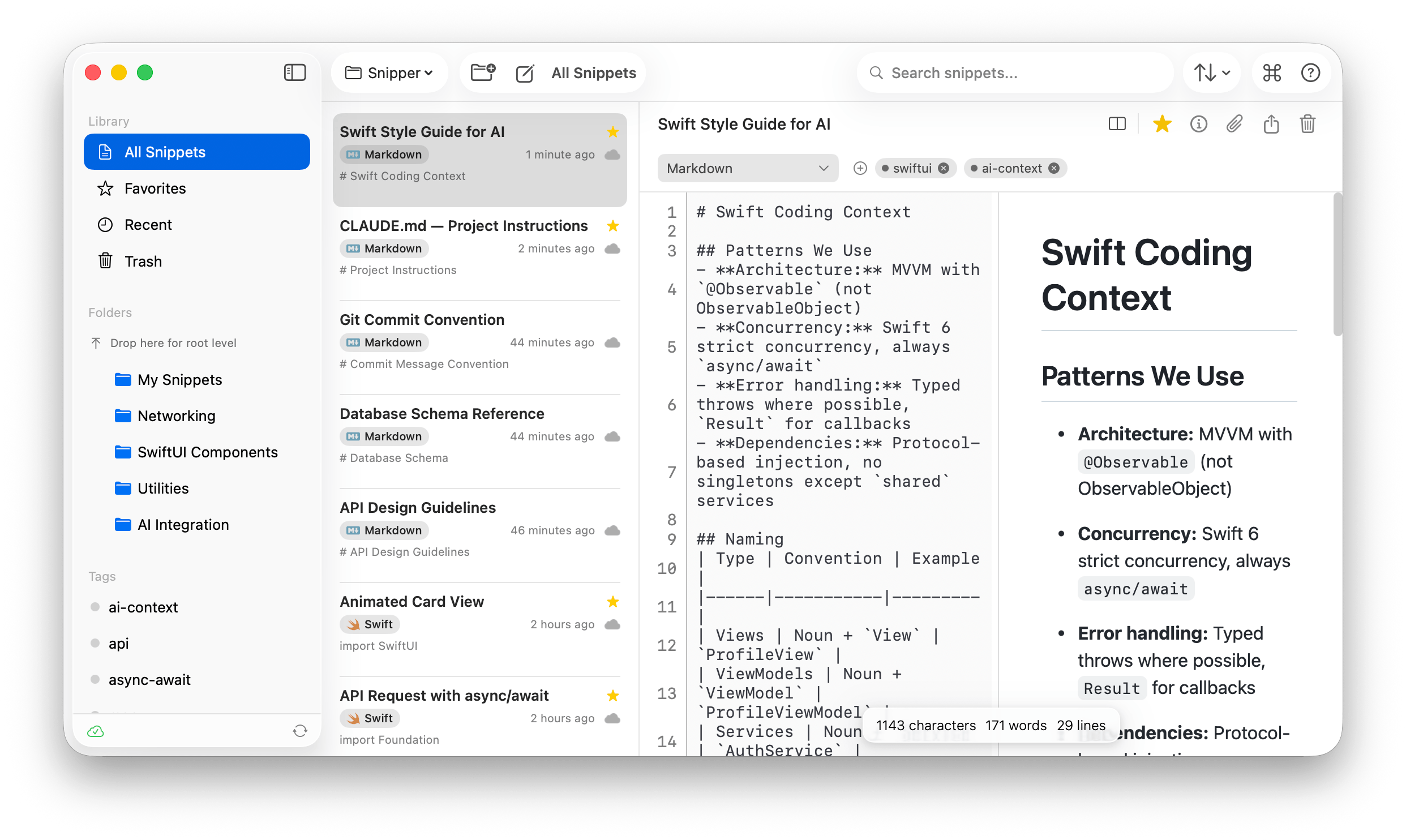
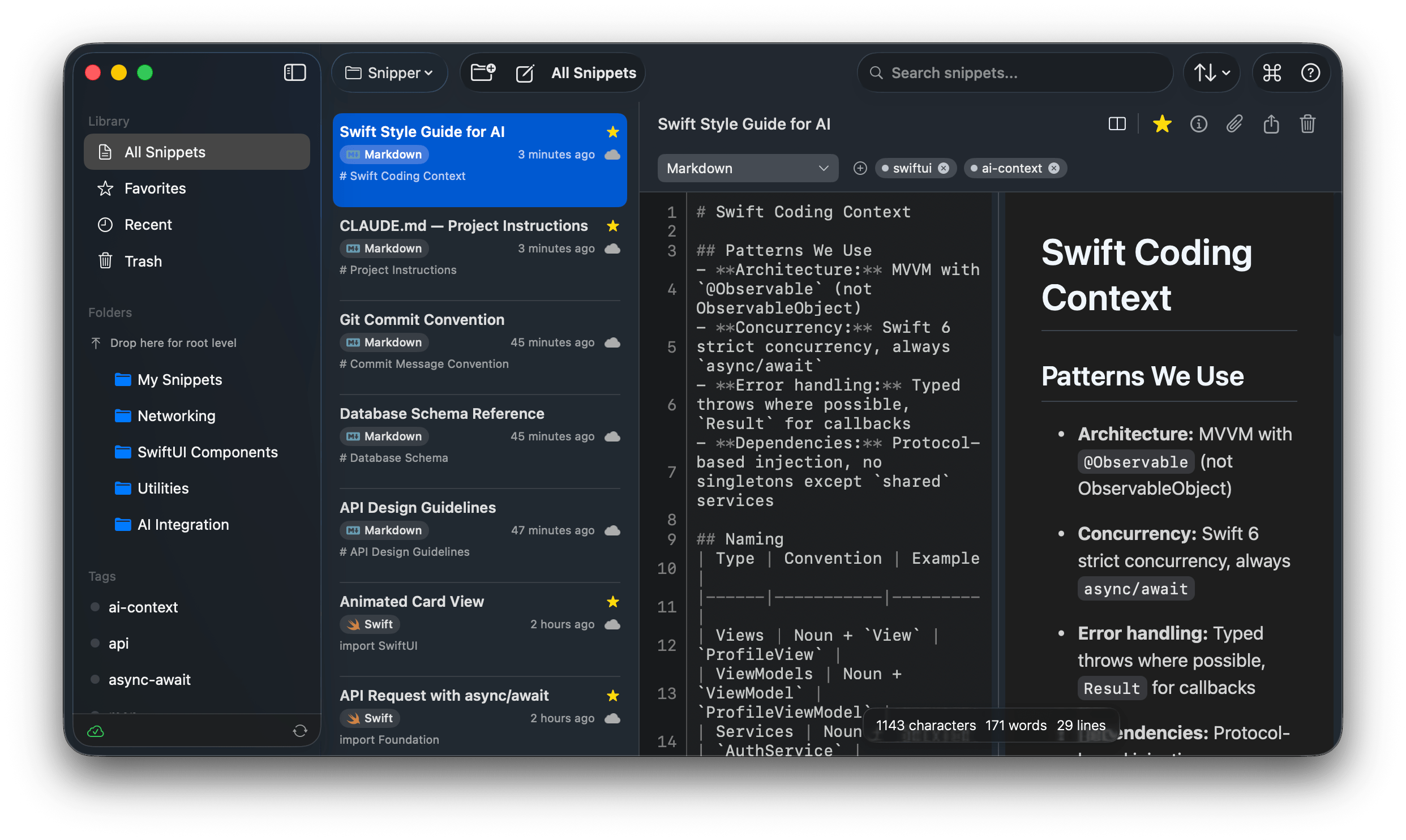
Everything you need to manage code snippets
Built from the ground up for professional developers who value speed, organization, and AI integration.
MCP Integration
The first snippet manager with Model Context Protocol support. Let Claude, Cursor, and Windsurf access your snippets directly.
Command Center
Raycast-style command palette with Cmd+K. Navigate, search, and act on snippets without touching the mouse.
Raycast Extension
Your SnipperApp library inside Raycast. Nine commands, free on the Raycast Store, no need to open the app.
iCloud Sync
Keep your snippets in sync across all your Macs with native iCloud integration. Automatic, seamless, private.
GitHub Gist Sync
Two-way sync with GitHub Gists. Import your gists, edit locally, push changes back. Multi-file gist support.
Workspaces
Organize snippets by project context. Switch between Work, Personal, and Learning spaces with one click.
Menubar App
Access your snippets from any app with Cmd+Shift+V. Copy-on-click for instant productivity. Always one shortcut away.
Markdown Preview
Full GitHub Flavored Markdown with live side-by-side preview. Write documentation and notes alongside code.
File Attachments
Attach images, documents, and reference files to any snippet. Drag-and-drop or paste from clipboard.
Backup & Restore
Automatic backups every 6 hours with Time Machine-like retention. Import from SnipperApp 2 with one click.
50+ Languages
Syntax highlighting for over 50 programming languages powered by Prism. From Swift to Rust, Python to Go.
Your snippets, accessible to AI
SnipperApp 3 includes a built-in MCP server. AI assistants can search, read, and create snippets — turning your collection into a knowledge base for your coding workflow.
{
  "mcpServers": {
    "snipper": {
      "command": "/Applications/SnipperApp 3.app/Contents/MacOS/snipper-mcp",
      "args": []
    }
  }
}
Available MCP Tools
search_snippetsSearch by keyword, language, favoritesget_snippetRetrieve snippet content by IDcreate_snippetCreate new snippets from AI contextupdate_snippetModify existing snippetslist_foldersBrowse folder structurelist_tagsBrowse and filter by tagsWorks with
Paste from your library, wherever you type
The official SnipperApp extension for Raycast puts your code library behind the launcher you already use. Search, paste, and capture snippets without opening the app. No login, no config file, no Full Disk Access prompt.
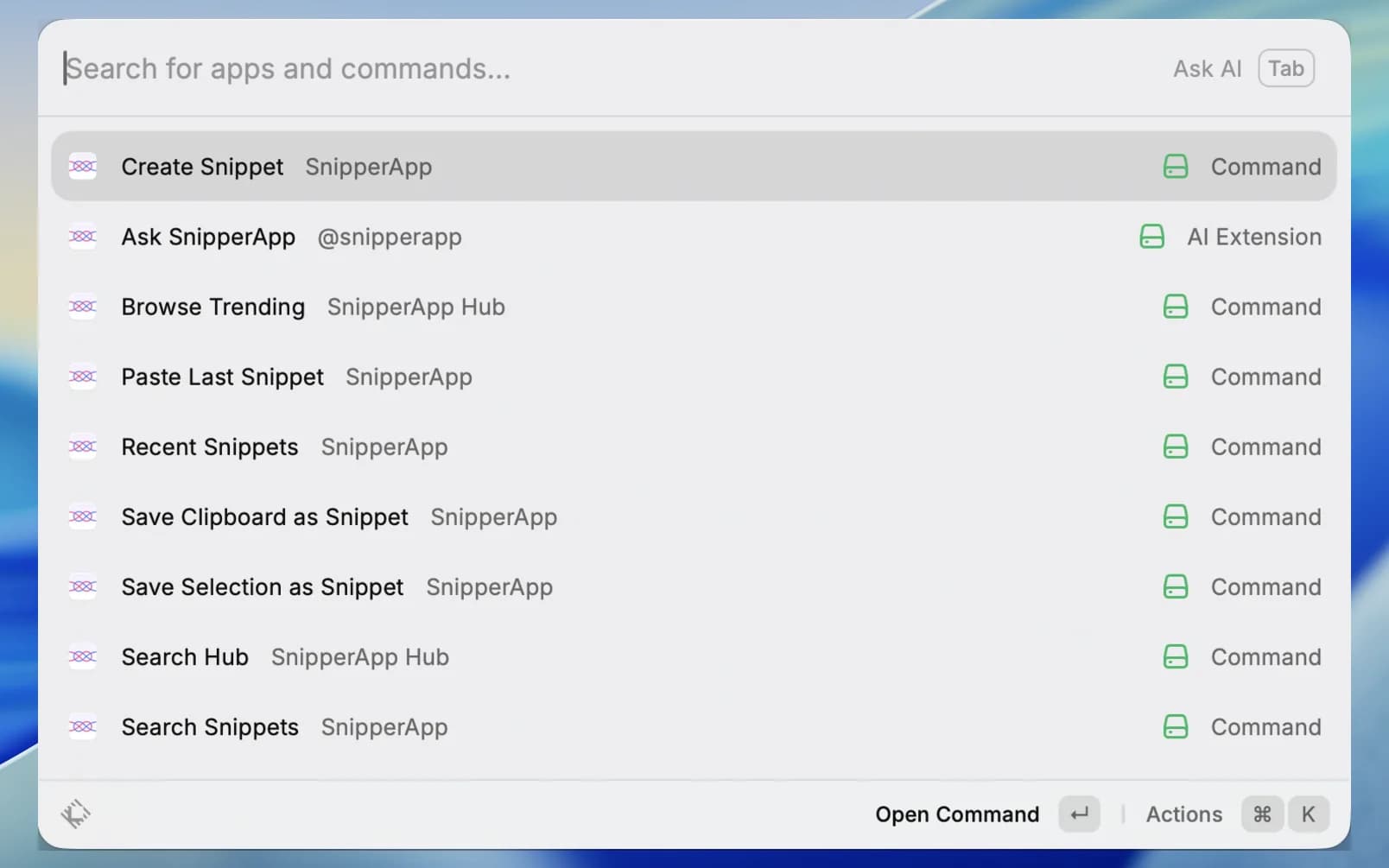
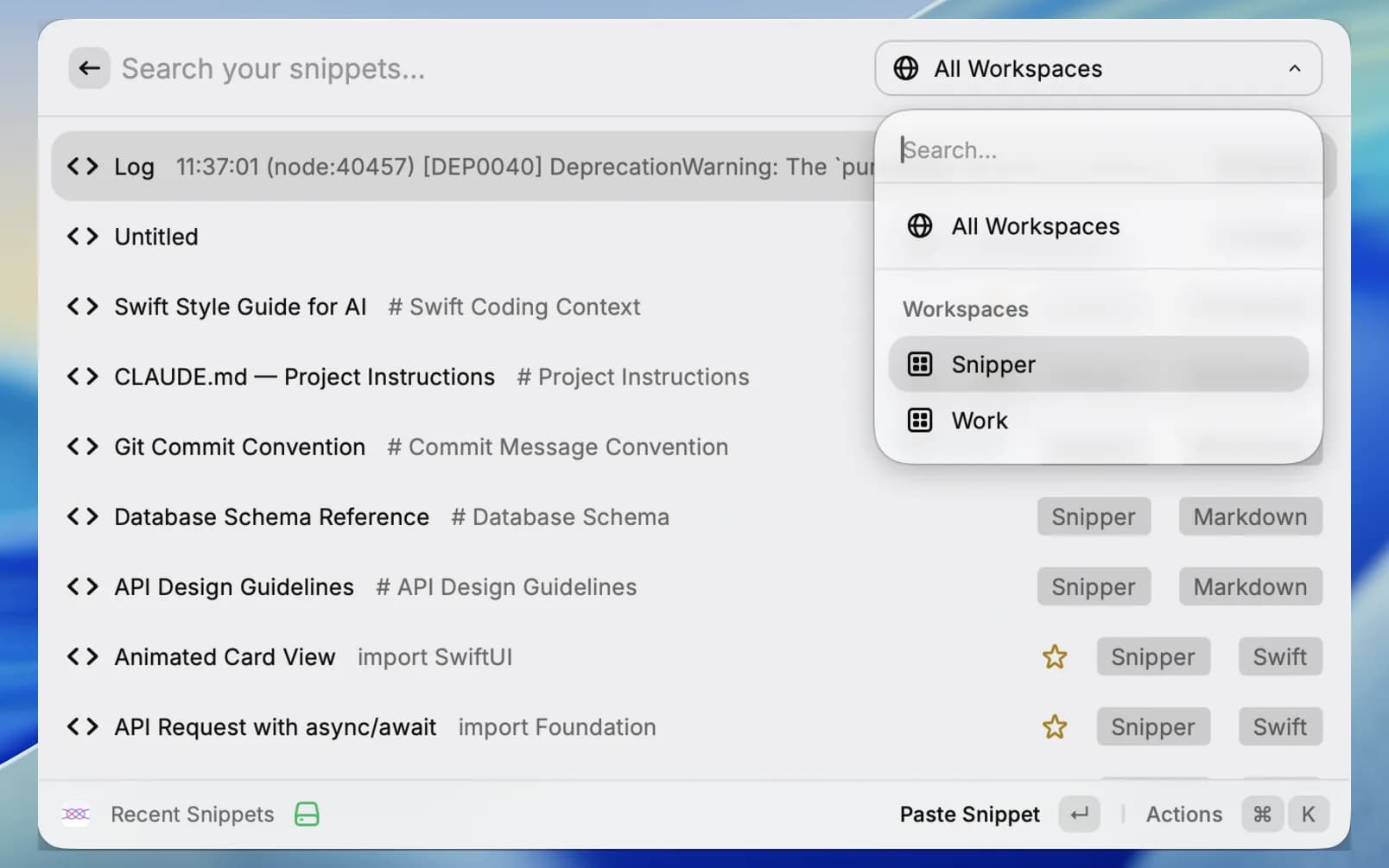
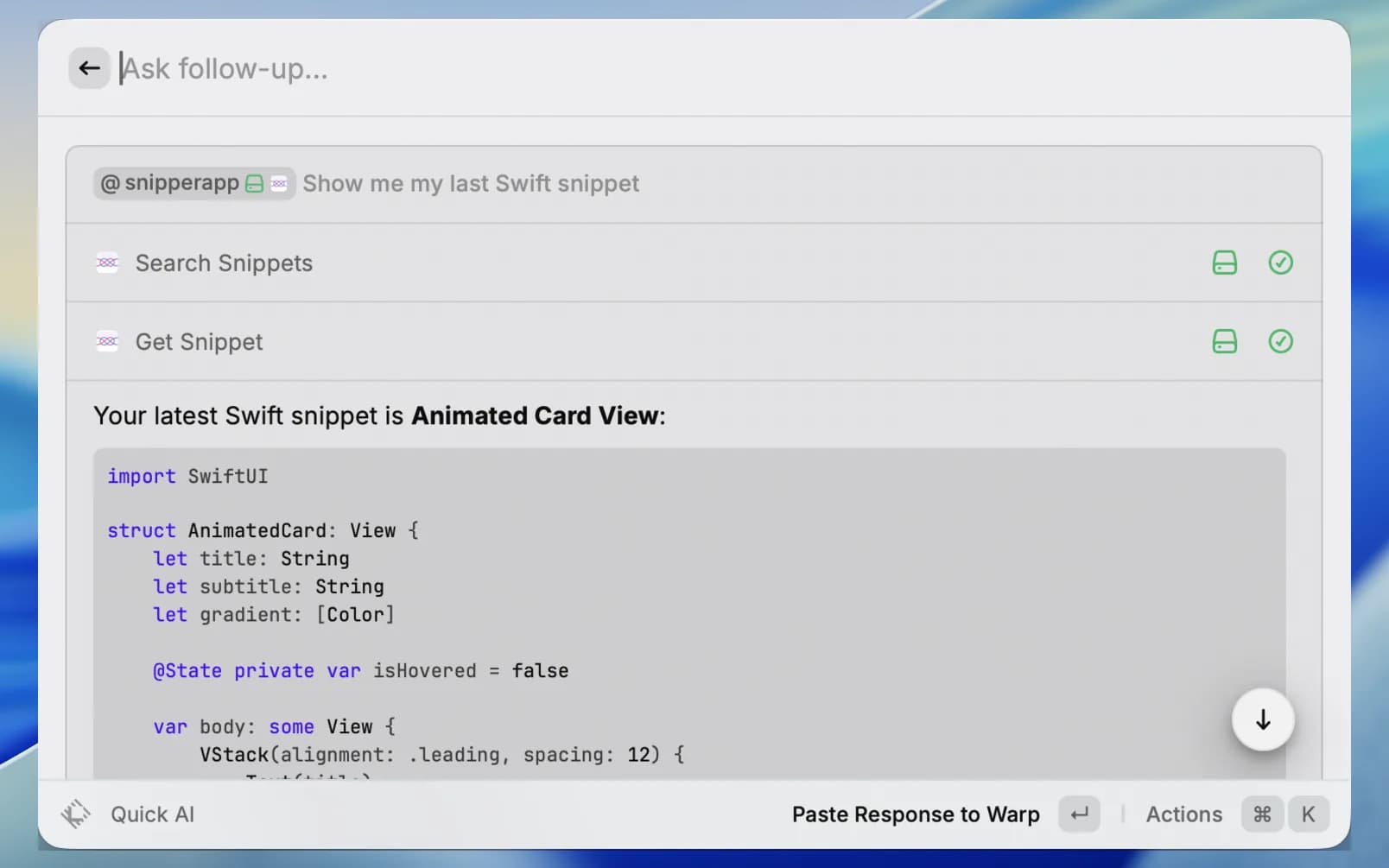
Nine SnipperApp commands plus the Ask SnipperApp AI extension, straight from Raycast root search.
Search and paste snippets from Raycast
Enter pastes into the app you came from. ⌘K holds Copy as Markdown, Open in SnipperApp, and Favorites.
Capture without opening the app
Save Clipboard as Snippet or Save Selection as Snippet. Give either a Raycast hotkey and capture is one keystroke.
The Hub, inside Raycast
Search Hub and Browse Trending need no account and work even before the app is installed.
Ask Raycast AI
@snipperapp searches, reads, and creates snippets through four AI tools. Requires Raycast Pro.
Free on the Raycast Store · Requires SnipperApp 3 (macOS 15.0+) · Pasting needs Raycast's Accessibility permission · Setup guide
Organize by context, not just folders
Keep your work, personal, and learning snippets completely separate. Switch between workspaces instantly — each with its own folders, tags, and settings.
Work
Project-specific snippets and API patterns
Open Source
Reusable utilities and contributions
Learning
Notes, examples, and reference code
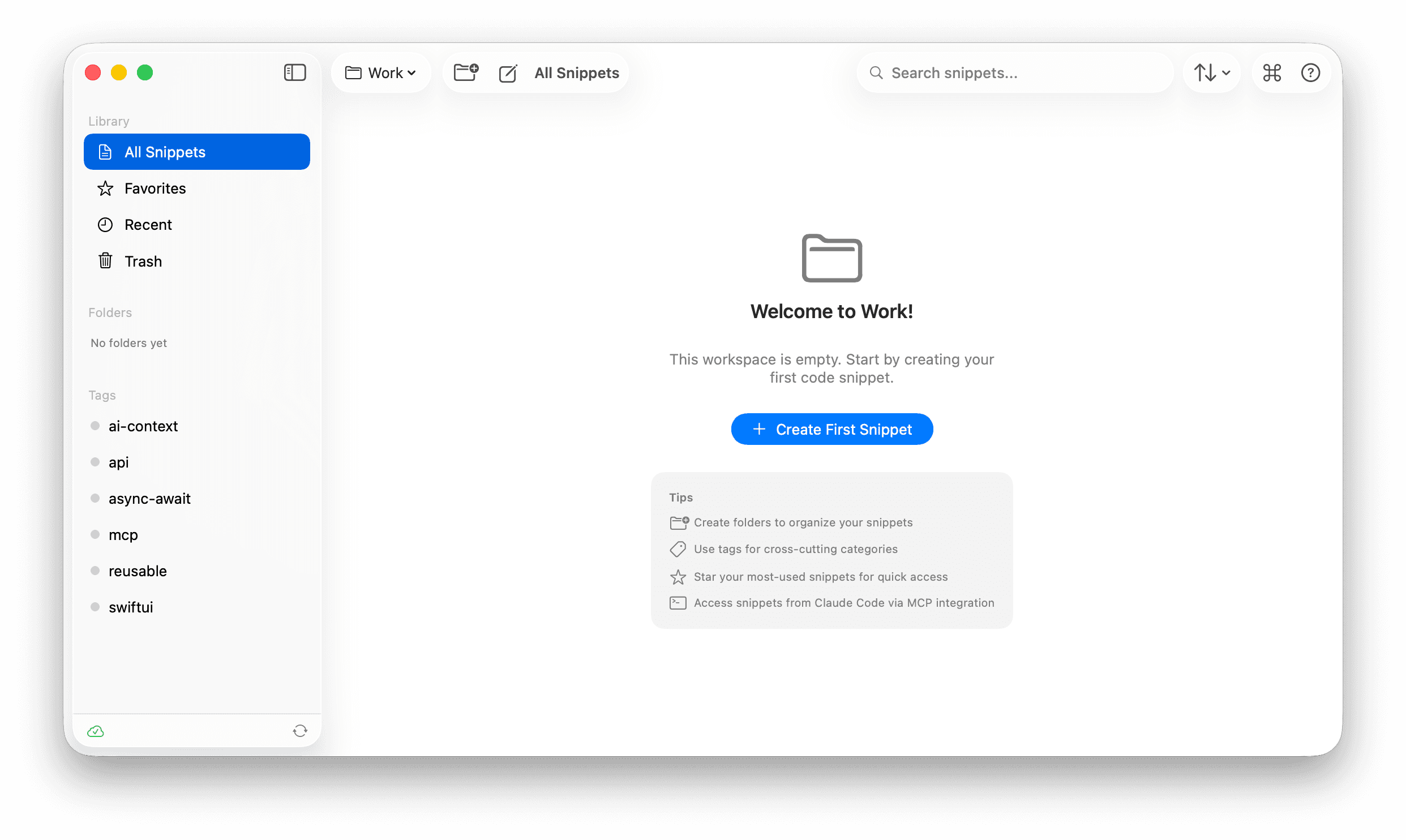
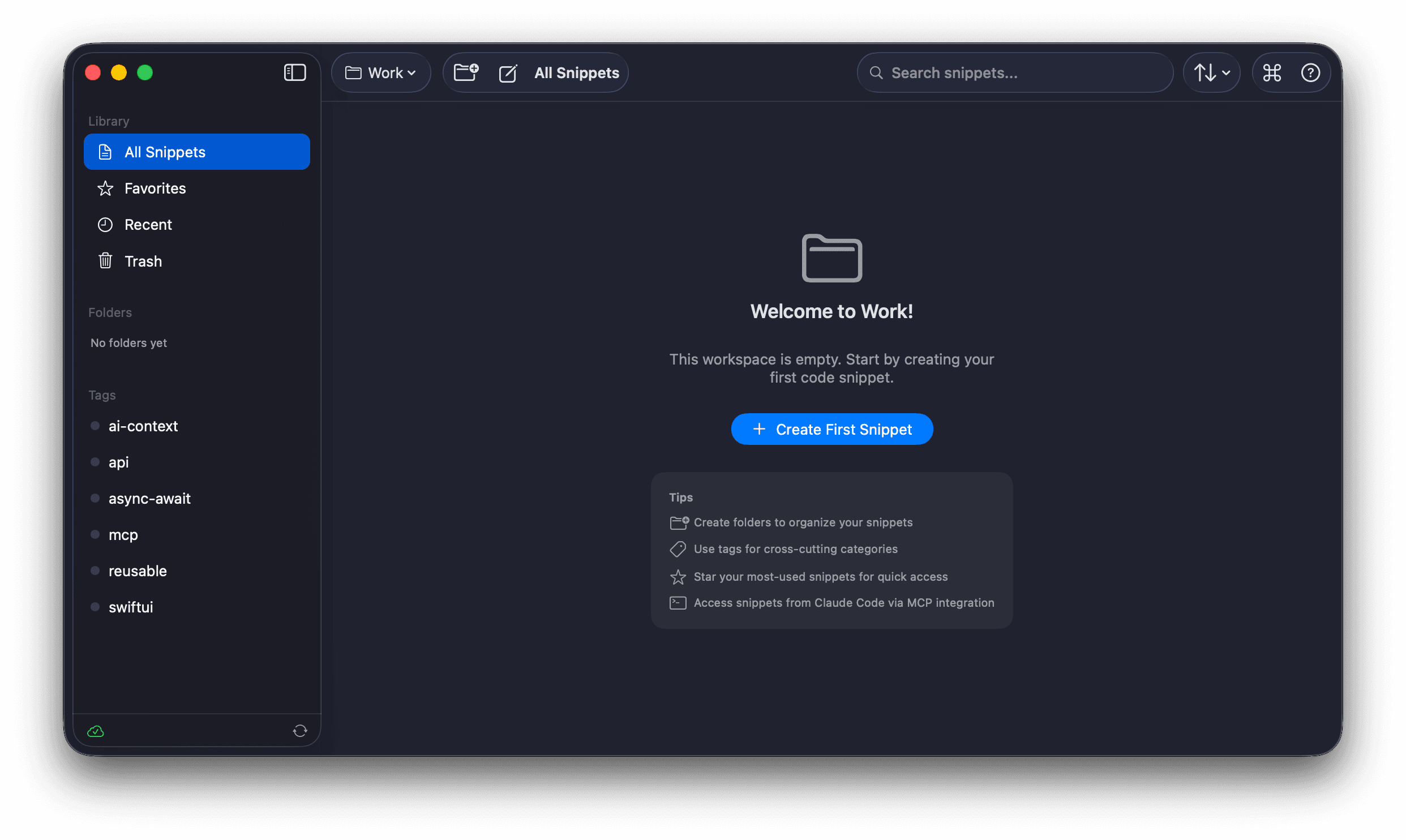
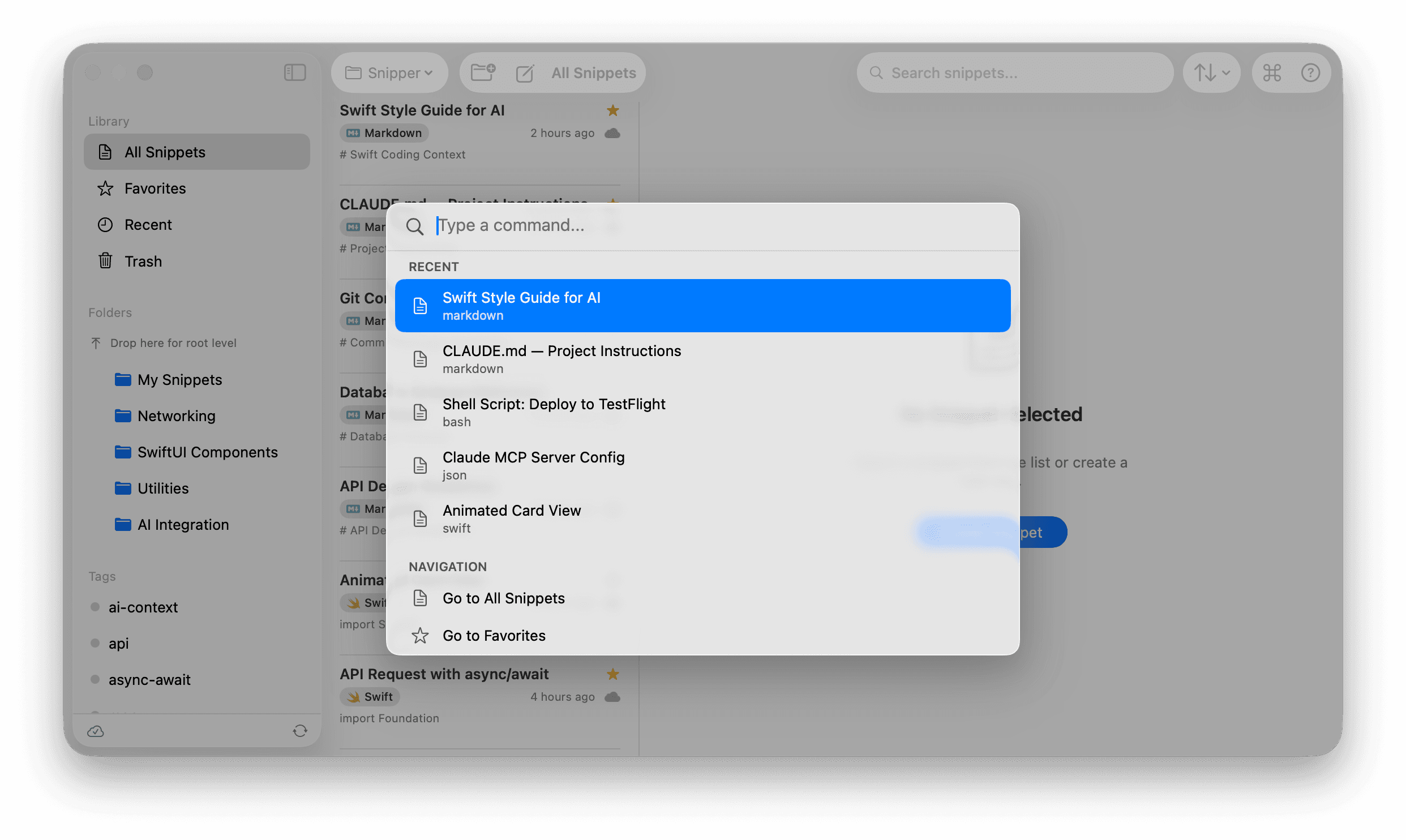
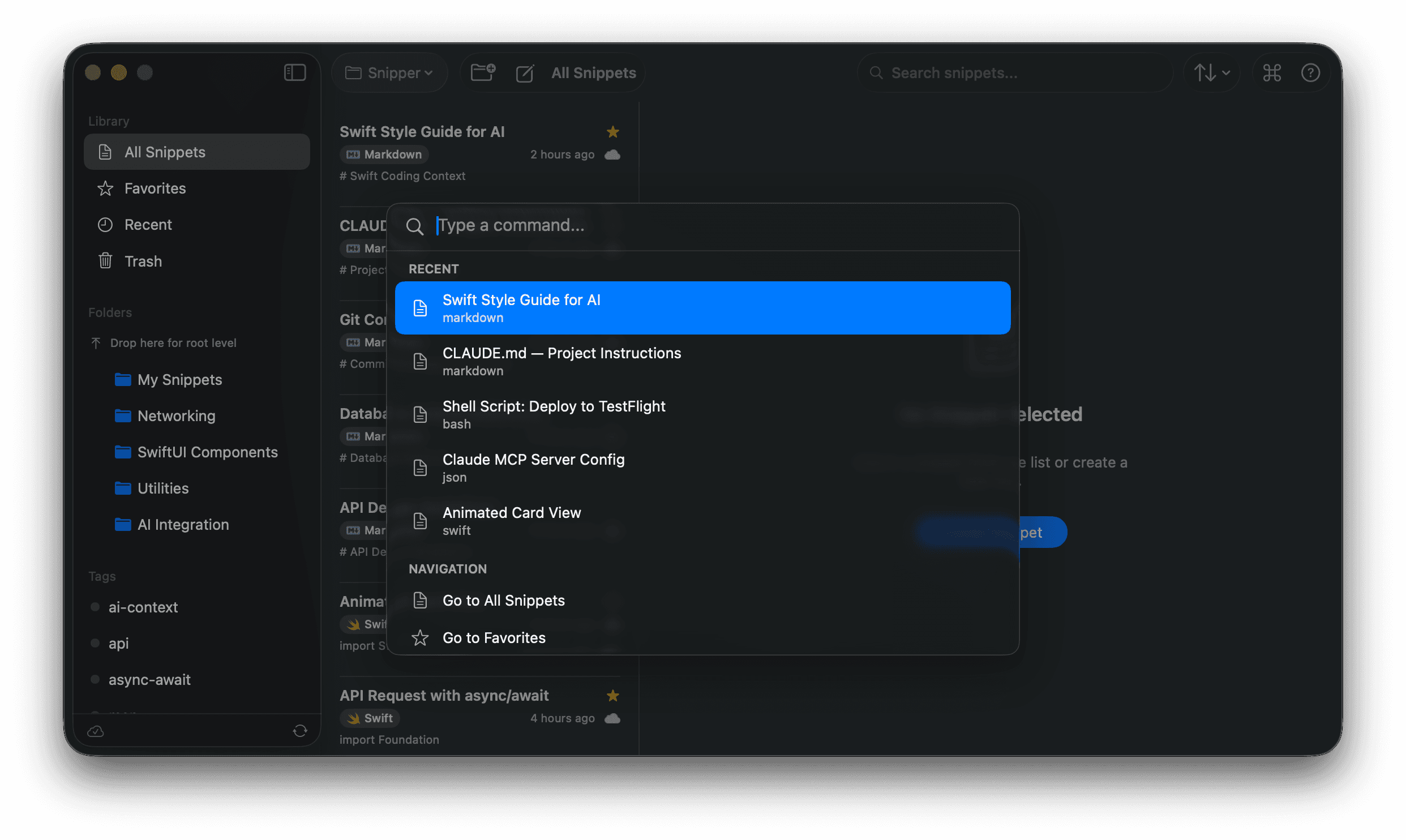
Raycast-style ⌘K palette
Never leave the keyboard. Hit ⌘K to open the Command Center and access everything — search snippets, run actions, switch workspaces, all in one place.
Instant search
Find any snippet across all workspaces in milliseconds
Quick actions
Create, copy, edit, and organize without leaving the keyboard
Smart navigation
Jump to folders, tags, or recent snippets with fuzzy matching
Simple, honest pricing
One price. All features. Forever yours.
Try free for 7 days. Then one-time purchase. No subscriptions.
- All features included
- Free lifetime updates
- Unlimited devices
Requires macOS 15.0 (Sequoia) or later
7-day free trial. No credit card required.
Frequently asked questions
Everything you need to know about SnipperApp 3.